 How-to
7 Steps to Set Up UTM Tracking for Beginners
Last Updated: October 29, 2026
Quick Summary
To set up utm tracking, add short tags to the end of your link so your analytics platform can tell where each visitor came from. Copy your destination URL, add a question mark, then add utm_source and utm_medium, followed by utm_campaign, utm_term, and utm_content as needed. Paste the finished link into a browser to confirm the page loads, then check your analytics report.
- Every UTM code uses five fields: source, medium, campaign, term, and content.
- Lowercase everything, use no spaces, and pick either underscores or hyphens, never both.
- A UTM link builder prevents syntax errors but will not save you from bad naming.
- In GA4, campaign data appears under Reports > Acquisition > Traffic Acquisition.
- Never tag internal links, because doing so restarts the session and overwrites the original source.
Table of Contents
- What UTM Tracking Is and Why It Decides Your Campaign Data
- How to Create a UTM Link Step by Step
- Using a UTM Link Builder Without Breaking the URL
- A UTM Naming Convention Your Whole Team Can Follow
- UTM Tracking Examples for Email, Social, and Paid Ads
- Where Your Campaign Data Shows Up in Google Analytics
- Testing Links and Fixing the Most Common UTM Mistakes
- Get Your Campaign Tracking Audited Before Your Next Launch
- Frequently Asked Questions
What UTM Tracking Is and Why It Decides Your Campaign Data
UTM tracking is the practice of adding short tags to the end of a link so your analytics platform can tell you exactly where each visitor came from.
The tags themselves are called UTM parameters. They ride along in the query string after a question mark, separated by ampersands. A visitor never sees a difference. Your analytics report sees everything.
Why does this matter so much? If you want to connect UTM data to real revenue, our guide on how to track marketing ROI without expensive software walks through the math.
The Five Standard UTM Parameters
Every UTM code uses the same five fields. Learn these once and you will never guess again.
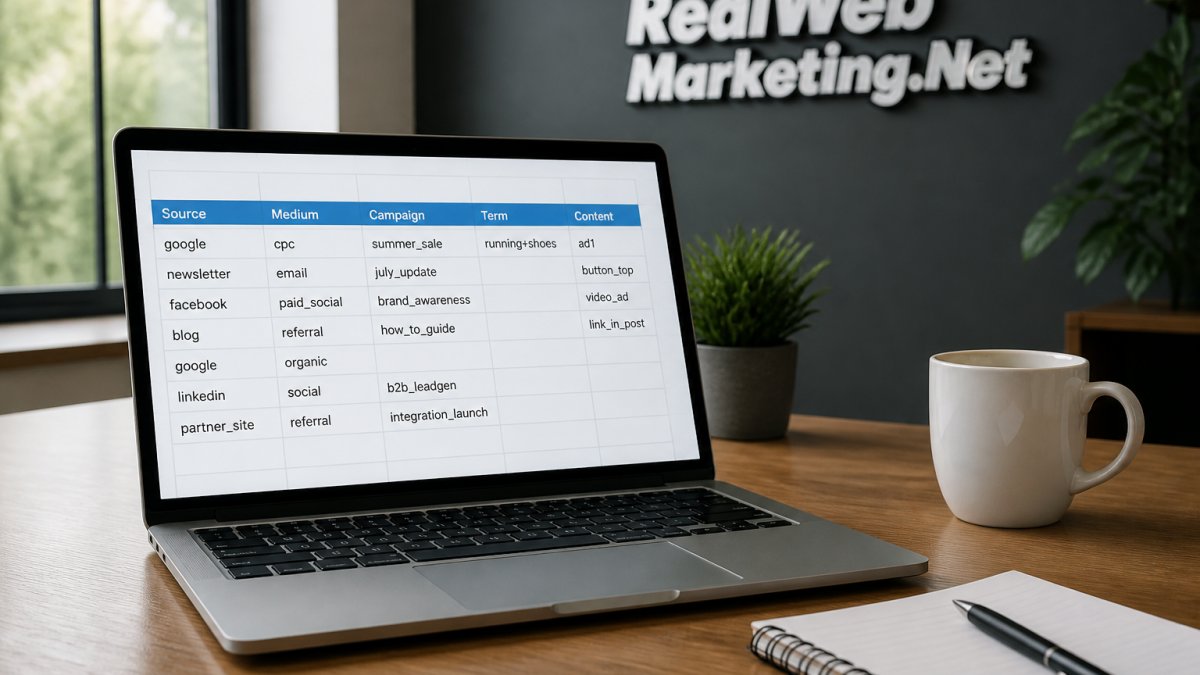
- utm_source - the platform sending the traffic (google, newsletter, facebook)
- utm_medium - the channel type (cpc, email, social, referral)
- utm_campaign - the specific push (spring_sale, q3_webinar)
- utm_term - the paid keyword that triggered the ad
- utm_content - the variant, such as a button color or ad version
Source and medium do the heavy lifting. Term and content are optional but worth using whenever you run A/B tests.
How to Create a UTM Link Step by Step
Here is the full build process, start to finish. It takes about two minutes per link once you have your naming rules in place.
- Copy the destination URL, including any existing path.
- Add a question mark at the end if the URL has no query string yet.
- Add utm_source, then an ampersand, then utm_medium.
- Add utm_campaign, utm_term, and utm_content as needed.
- Paste the finished link into a browser and confirm the page loads.
- Open your analytics report and check that the session registers under the right source.

Building the Link Manually
Manual builds give you total control, and they teach you how the pieces fit. Take a landing page at yoursite.com/demo. A paid search link might look like this:
yoursite.com/demo?utm_source=google&utm_medium=cpc&utm_campaign=fall_demo_push
Lowercase everything. No spaces. Use underscores or hyphens, never both. A common mistake is pasting a link with a capital letter in the source, which creates a second, separate row in your report.
Using a UTM Link Builder Without Breaking the URL
A UTM link builder is a form that assembles the tagged URL for you, field by field. Google publishes a free Campaign URL Builder, and most marketing teams keep it bookmarked.
The tool will not save you from bad naming, though. It only prevents syntax errors. Watch out: if your destination URL already contains a question mark, the builder must append with an ampersand instead. Get that wrong and the whole query string breaks, sending visitors to a 404.
A UTM Naming Convention Your Whole Team Can Follow
A UTM naming convention is a written rulebook for what each parameter may contain. Teams that skip this step end up with "Email," "email," and "newsletter" as three separate sources in the same report.
| Parameter | Rule | Example |
|---|---|---|
| utm_source | Lowercase platform name | |
| utm_medium | Channel category only | social |
| utm_campaign | Year, quarter, initiative | 2026_q4_webinar |
| utm_term | Exact keyword, lowercase | utm_tracking |
| utm_content | Variant label | blue_button |
Store this in a shared doc. Require sign-off before any new source value gets added. Case sensitivity alone will wreck a report faster than bad data.
UTM Tracking Examples for Email, Social, and Paid Ads
Concrete UTM tracking examples make the rules click.
- Email newsletter:
?utm_source=newsletter&utm_medium=email&utm_campaign=october_digest - Social post:
?utm_source=linkedin&utm_medium=social&utm_campaign=2026_q4_webinar - Paid search:
?utm_source=google&utm_medium=cpc&utm_campaign=fall_demo_push&utm_term=utm_tracking
Notice that medium changes with the channel, not the platform. Email is always email, even when it comes from a CRM. If you are tagging social campaigns and want help running them, our social media marketing services cover content and optimization. For paid search specifically, see our guide on optimizing Google Ads campaigns for higher profitability.
Where Your Campaign Data Shows Up in Google Analytics
Once a tagged link goes live, the payoff is seeing the session land in the right place.
Schedule a Free Consultation →
The primary destination is Reports > Acquisition > Traffic Acquisition.
To see campaign-level detail, click the pencil icon in the table header and add Session campaign as a secondary dimension.
A few practical notes on GA4 behavior:
- Attribution is session-scoped for source/medium. A returning visitor who arrives via a new tagged link will be credited to the new campaign for that session, but the user-scoped "First user source / medium" dimension will still reflect the original acquisition.
- Direct traffic is not always direct. A tagged link that loses its parameters in a redirect, an email client, or an app handoff will often register as
(direct) / (none). If direct traffic spikes the day a campaign launches, suspect parameter stripping before you suspect the audience. - Real-time reports confirm setup fast. Open Reports > Realtime and check the "Session source / medium" card within a minute or two of clicking your own tagged link. This is the quickest way to verify a link before you send it to a list.
- Campaign data can take 24-48 hours to finalize in standard reports. Do not panic if a fresh campaign looks empty in Traffic Acquisition but shows up in Realtime.
If you want to connect this campaign data to downstream conversions, our guide on how to track PPC conversions in Google Analytics walks through the event and key-event setup that makes those reports meaningful.
Testing Links and Fixing the Most Common UTM Mistakes
Most UTM problems are not mysterious. They fall into a small set of failure modes, and each one has a specific fix. This section walks through the test workflow first, then common mistakes and how to correct them.
The Pre-Launch Test Workflow
Run this checklist on every tagged link before it ships:
- Paste the full tagged URL into a browser and confirm the landing page loads with no 404 and no stripped query string. Look at the address bar after the page loads; if the
?utm_portion disappears, a redirect is eating your parameters. - Open GA4 Realtime in a second tab before you click. After the page loads, check the "Session source / medium" card. The value should match what you assigned, exactly, including case.
- Click the link from the actual channel when possible. A link that works pasted into a browser may behave differently inside an email client, a social app's in-app browser, or a redirect chain.
- Test in at least two email clients if the link is going into a newsletter. Long URLs can wrap, truncate, or get rewritten by link scanners.
- Log the link in your shared tracking doc with its intended source, medium, and campaign so the next person does not rebuild it with different casing.
The Most Common UTM Mistakes and Their Fixes
Capital letters creating duplicate rows. UTM values are case-sensitive in GA4. Email, email, and EMAIL become three separate source rows. Fix: enforce lowercase in your naming convention and add a validation step before any link goes live.
Missing utm_medium. A link with only utm_source will often land in an "Unassigned" channel group because GA4 cannot map it to a default channel.
Email clients and apps mangling long URLs. Some clients wrap or truncate long URLs, and some security scanners pre-fetch links, which can register phantom sessions.
Parameters lost across domains. If your campaign sends visitors from a marketing site to a checkout or app domain, the session can break at the domain boundary.
A Quick Diagnostic Table
| Symptom | Likely cause | Fix |
|---|---|---|
Traffic shows as (direct) / (none) |
Parameters stripped by redirect, email client, or app | Test the full click path; configure redirects to pass query strings |
| Duplicate source rows | Inconsistent casing | Enforce lowercase in the naming convention |
| Sessions land in "Unassigned" | Missing or unrecognized medium | Always pair source with medium; use standard medium values |
| Campaign report is unreadable | Campaign name reused across pushes | Scope campaign names to one initiative with a time marker |
| Original source lost after on-site click | Internal links tagged with UTM | Remove UTM from internal links; use events instead |
If you would rather have someone run this checklist against your live campaigns, our social media marketing services and Google Ads optimization guide cover the channel-side setup that keeps tracking clean.
Get Your Campaign Tracking Audited Before Your Next Launch
Bad tags quietly corrupt every report you build on top of them. Before your next launch, have someone review your naming rules, your live links, and your analytics setup end to end.
You get direct access to experienced marketers, not junior account managers, plus transparent monthly reporting. Our team brings 35+ years of combined experience and Google Partners status to the table.
Find out what's holding back your leads and sales with a free consultation.
Frequently Asked Questions
What are the five UTM parameters?
A UTM code carries five parameters. Three are required for useful reporting: utm_source names the platform (google, newsletter), utm_medium names the channel type (cpc, email, social), and utm_campaign names the specific promotion. Two are optional: utm_term records the paid keyword and utm_content separates two versions of the same ad or link. Fill in all three required fields every time. Leaving utm_medium blank is the fastest way to lose a campaign inside direct traffic in your analytics reports.
How do I test whether a UTM link is working?
Click the finished link yourself, then open your analytics real-time report within a few minutes. The session should appear with the source and medium you set, not as direct traffic. If it shows as direct, check three things: the question mark before the first parameter, an ampersand between each parameter, and that the destination URL had no existing query string. Also confirm you pasted the tagged link rather than the plain one, since the untagged version will always report as a referral or direct visit.
Do UTM parameters affect SEO?
Tagged URLs do not change your rankings, but they can split your analytics. Every unique parameter combination creates a separate URL, so Google Analytics may treat identical pages as different destinations and report them separately. The practical fix is to keep tagged links out of your site's internal navigation and canonical tags, and reserve UTM tracking for external campaigns only. Use consistent naming so the same campaign does not appear as three rows in your reports.
What is the difference between utm_source and utm_medium?
The source answers where the visitor came from, and the medium answers how they got there. A click from a newsletter sent through your email platform would use utm_source=newsletter and utm_medium=email. The same visitor arriving from a paid search ad would be utm_source=google with utm_medium=cpc. Keeping these two roles separate is what lets you compare channels side by side, such as total email sessions against total paid search sessions, in one analytics report.
Tracking is only as good as the discipline behind it. If your reports feel unreliable, the tags are usually the culprit. Get started with Real Web Marketing Inc. and put campaign measurement on a foundation you can trust.