 how-to
How to Get More Google Reviews for Service Businesses
Table of Contents
- Step 1: Set Up Your Google Business Profile for Review Requests
- Step 2: Find the Best Time to Ask for a Google Review
- Step 3: Use a Google Review Request Email Template That Gets Clicks
- Step 4: Send Google Review Request Text Message Examples That Work
- Step 5: Train Your Staff to Ask at Every Customer Touchpoint
- Step 6: Measure and Improve Your Google Review Generation
- Step 7: How to Respond to Google Reviews (Positive and Negative)
- Frequently Asked Questions
Last Updated: October 12, 2026
Step 1: Set Up Your Google Business Profile for Review Requests
Learning how to get more google reviews for service businesses starts with one page: your Google Business Profile. This free listing is what customers see when they search for a plumber, landscaper, or contractor near them. A complete profile with accurate hours, services, and photos builds trust before anyone calls. At Real Web Marketing Inc., we tell every client the same thing: fix the profile first, because review requests sent to a half-finished page waste everyone's time.
Generate Your Direct Review Link
A direct review link opens the review form in one tap. No searching, no scrolling, no confusion. Here is how to find it:
- Sign in to your Google Business Profile
- Click "Ask for reviews"
- Copy the short link Google gives you
That link is the engine behind every request you send.
Build QR Codes for Techs, Trucks, and Invoices
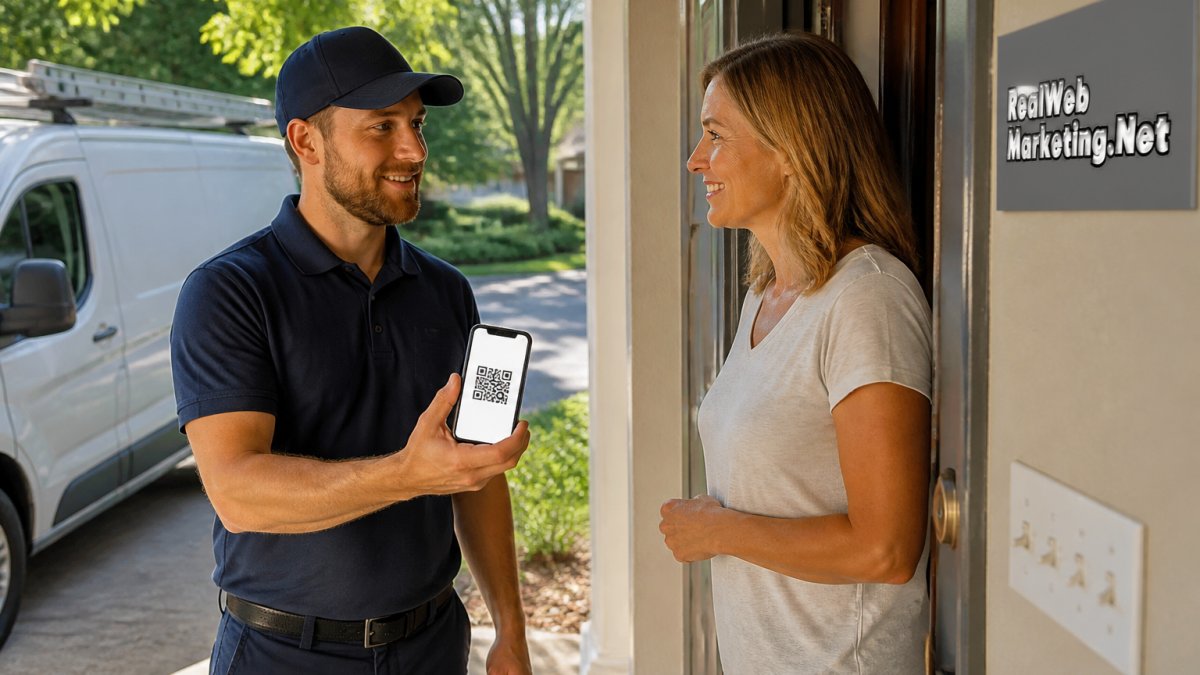
A QR code turns any surface into a review request. Print one for each truck door, clipboard, and invoice. Customers scan it with their phone camera and land straight on the review form.
Step 2: Find the Best Time to Ask for a Google Review
The best time to ask for a Google review is right after the job is done and the customer says they are happy. That window closes fast. Ask while you are still on site, or within a few hours of leaving.
Timing beats technique here. A request sent three days later often gets ignored. The same request sent in the moment gets answered.
Watch for the signals:
- The customer thanks your tech
- They say the price was fair
- They mention you to a neighbor
Each one is an open door. Walk through it.
Step 3: Use a Google Review Request Email Template That Gets Clicks
A Google review request email template works when it is short, personal, and links straight to the form. Skip the long thank-you letter. Busy customers skim.
Here is a template you can copy today:
Subject: Quick favor, [First Name]?
Hi [First Name],
Thanks for choosing us for [service]. It was a pleasure working with you.
Would you mind sharing a quick review? It helps other homeowners find us. It takes about 30 seconds:
[Your direct review link]
Thanks again, [Your Name] [Company Name]
Send it from a real person, not "noreply." Replies build relationships. The FTC guidance on endorsements and reviews is clear that reviews must reflect real customer experiences, so never offer payment or gifts in exchange.
Step 4: Send Google Review Request Text Message Examples That Work
Text messages get read fast, which makes them the strongest channel for review requests. Keep them under 300 characters and always include your link.
Try these Google review request text message examples:
- "Hi [Name], thanks for having us out today! If you have 30 seconds, a quick Google review would mean a lot: [link]"
- "[Name], it was great working with you. Mind leaving us a quick review? Here's the link: [link] Thanks!"
- "Thanks for choosing [Company]! We'd love your feedback on Google: [link]"
Send one text per job. No reminders unless the customer says they will do it later.
Step 5: Train Your Staff to Ask at Every Customer Touchpoint
Your team is your best review engine, but only if they know what to say in each situation. A single generic script falls flat when the job is a 20-minute repair versus a three-week remodel. Train by job type, not by slogan.
Match the ask to the service workflow
Different service businesses finish jobs in different ways. The ask should fit the moment the customer feels the work is done.
Schedule a Free Consultation →
- One-visit repair or installation: Ask on site, right after the walkthrough, while the tech is still packing up. The customer can see the finished work and the tech is still a person, not a name on an invoice.
- Recurring service (lawn care, pest control, cleaning): Ask after the third or fourth visit, not the first. By then the customer has seen consistency, which is what they will actually review. Asking after visit one reads as transactional.
- Multi-day or project work (remodels, HVAC replacement, roofing): Ask at the final walkthrough, not at the midpoint. Mid-project asks invite reviews about dust and delays. The final walkthrough is when the customer is evaluating the finished result.
Ready-to-use scripts by situation
Give every team member three lines they can say without thinking. Short beats polished.
- In person, one-visit job: "Glad we got that handled today. If you have 30 seconds, a quick Google review really helps our crew. I can text you the link right now if that's easier."
- In person, project wrap-up: "Thanks for trusting us with this one. If you're happy with how it turned out, a quick Google review would mean a lot to the team. Here's a card with the link, no pressure either way."
- Phone follow-up after recurring service: "Just checking in on the last visit. If everything looks good, would you mind leaving us a quick review on Google? I can text you the link while we're on the phone."
Make it easy to say no
A review request should always be optional. Train staff to use phrases like "no pressure" and "only if you have time," and to stop asking after one decline. Customers who feel cornered sometimes leave a review about the pressure, not the work. Google's prohibited and restricted content policy treats coerced or incentivized reviews as a policy violation, so the ask has to be genuine.
Cover customers who do not use text or QR codes
Not every customer wants to scan a code or receive a text. Give the team backup options:
- A printed card with the direct review link written out in plain text
- A short URL the customer can type into a browser
- An offer to email the link instead of texting it
- A QR code on the invoice for customers who prefer to scan later at home
Accessibility matters here. Older customers, customers with vision limitations, and customers on flip phones all deserve a path to leave a review that does not depend on a smartphone camera.
Reinforce the habit
Role-play each script once at a team meeting. Pair new techs with experienced ones for the first few weeks. Recognize team members who get mentioned by name in reviews, that feedback loop does more for consistency than any policy memo.
Step 6: Measure and Improve Your Google Review Generation
Most service businesses send review requests and never look at the numbers again. That is why their review count plateaus. Tracking four metrics turns review generation from a hope into a process you can tune.
The four numbers that matter
| Metric | How to Calculate It | What It Tells You |
|---|---|---|
| Ask rate | Requests sent ÷ completed jobs | Whether your team is actually asking |
| Conversion rate | New reviews ÷ requests sent | Whether your message and timing work |
| Review velocity | New reviews per month | Whether your profile is gaining or stalling |
| Rating trend | Average star rating, month over month | Whether service quality is holding |
Pull ask rate and conversion rate from your CRM, job software, or a simple spreadsheet. Pull velocity and rating from your Google Business Profile dashboard. Update the sheet weekly, review it monthly.
What the numbers usually reveal
A common pattern in service businesses: ask rate is low, conversion rate is high. That means the message works but the team is not asking often enough.
If ask rate is high but conversion rate is low, the problem is usually timing or channel.
If both are healthy but velocity is flat, check whether reviews are being filtered or flagged.
Diagnose a drop in three steps
- Check the ask rate first. Did requests actually go out? A new tech, a busy month, or a broken CRM automation can quietly kill your ask rate.
- Check the conversion rate next. If asks went out but reviews did not come in, the message or timing changed. Compare this month's script to last month's.
- Check the rating trend last. If velocity is fine but the rating is slipping, the issue is service quality, not the request process. No script fixes a bad job.
Set realistic targets
There is no universal benchmark, but most service businesses find that a modest conversion rate on a high ask rate beats a high conversion rate on a low ask rate every time. Focus on getting the ask out consistently before you try to optimize the wording.
Tie measurement back to the request process
Once you know which channel and which timing convert best, standardize on them. If texts sent within two hours of job completion convert best, make that the default. If project wrap-up asks outperform mid-project asks, update the script card. Measurement only pays off when it changes what the team does next month.
Step 7: How to Respond to Google Reviews (Positive and Negative)
Respond to every review within a day or two. Thank positive reviewers by name and mention the specific service.
A simple reply structure works for both:
- Thank the customer
- Acknowledge the specific point
- Offer a next step or a direct contact
Never argue in public. A measured response shows future customers how you handle problems.
If a review breaks Google's policies, such as spam or a fake rating, you can flag it for removal. Do not dispute honest criticism. Fix the issue instead.
Getting steady google reviews takes a system, not luck. Real Web Marketing Inc. helps owners fix that with hands-on SEO, web design, and review-ready landing pages, plus transparent monthly reporting that shows what is actually working.
Frequently Asked Questions
How do I request a Google business review without pressuring customers?
Keep the ask low-pressure by using a simple, friendly message that makes it easy to say no. For example: "Thanks for choosing us! If you have a minute, a Google review would mean a lot. Here's the link." Send it after the job is complete and the customer is satisfied. Avoid repeated follow-ups; one reminder is enough. This approach respects the customer while still generating Google reviews.
When should a service business ask for a Google review?
The best time to ask for a Google review is right after a positive interaction, such as when a technician confirms the work is done and the customer is happy. For email or text requests, send within a few hours of service completion. This timing captures the customer's satisfaction at its peak and increases the chance they'll leave a review.
Can I send customers a direct link to leave a Google review?
Yes, you can generate a direct review link from your Google Business Profile. This link takes customers straight to the review form, removing extra steps. Share it via text, email, QR codes on invoices, or your website. A direct link makes it easier for customers to leave a review and typically improves conversion.
How should a service business respond to negative Google reviews?
Respond promptly and professionally to negative Google reviews. Acknowledge the issue, apologize for the experience, and offer to resolve it offline. For example: "We're sorry to hear about your experience. Please contact us at [phone/email] so we can make it right." This shows other potential customers that you care about service quality and are willing to address concerns.