 How-to
Video Production Budget Planning for Small Businesses
Table of Contents
- Why a Video Production Budget Matters for Small Businesses
- What to Include in Your Video Production Budget
- How Much Does Video Production Cost?
- Free Video Production Budget Template
- DIY Video Production for Small Businesses
- How to Shoot Product Videos on a Budget
- Measuring Video Production ROI for Small Businesses
- Conclusion
- Frequently Asked Questions
Last Updated: October 20, 2026
Why a Video Production Budget Matters for Small Businesses
Almost 40% of companies spent under $5,000 producing videos in the previous year, according to HubSpot's State of Video in 2026. That number tells you something important: you do not need a Hollywood budget to compete. You need a plan.
A video production budget is a written estimate of every cost tied to planning, shooting, and editing a video, from equipment and talent to software and ad spend. Without one, small projects quietly turn into expensive ones.
At Real Web Marketing Inc., we have watched this play out for 18 years. Owners start with a phone, a product, and good intentions. Three reshoots later, they have spent more than a planned shoot would have cost.
Here is the core tension most guides ignore: the cheapest video is rarely the one with the lowest invoice. It is the one you only have to make once. Below, we break down real cost ranges, a free budget template, and the shooting shortcuts that actually work.
What to Include in Your Video Production Budget
Every line item falls into one of five buckets. Miss a bucket and your estimate will be wrong.
- Pre-production: scripting, storyboarding, location scouting, permits
- Equipment: cameras, lighting, audio, tripods, memory cards
- Talent and crew: on-camera people, editors, voiceover artists
- Post-production: editing, color correction, music licensing, captions
- Distribution: ad spend, thumbnails, platform fees
A common mistake is budgeting only for the shoot day. Editing and revisions usually take longer than filming.
How Much Does Video Production Cost?
Professional video production in 2026 runs from roughly $1,500 to $50,000, depending on scope, according to Create and Elate's 2026 rate guide. A separate 2026 guide from Firework puts the range at $500 to $50,000, with small businesses typically landing between $1,000 and $5,000 per video.
The wide spread is not noise. It reflects real choices about shoot days, crew size, and editing complexity, which ERS Video's 2026 guide for small and medium businesses identifies as the main cost drivers.
Typical Cost Ranges by Project Type
| Project Type | Typical Range | Best For |
|---|---|---|
| Smartphone product clip | $0 - $500 | Social posts, quick tests |
| Single-day brand shoot | $1,000 - $5,000 | Website hero video, about page |
| Testimonial video | $1,500 - $4,000 | Trust building, sales pages |
| Multi-video campaign | $5,000 - $25,000+ | Paid ads, launches |
These are market ranges from published 2026 guides, not quotes. Real pricing depends on your scope, and we always recommend getting a written estimate before committing.
Free Video Production Budget Template
Use this video production budget template for any project. Copy it into a spreadsheet and fill in your own numbers.
| Line Item | Your Estimate | Notes |
|---|---|---|
| Script and planning | $ | Hours x rate, or DIY |
| Equipment rental | $ | Or $0 if using your phone |
| Lighting and audio | $ | Biggest quality upgrade |
| Talent or voiceover | $ | Often optional |
| Editing | $ | Usually the largest line |
| Music licensing | $ | Check commercial rights |
| Captions | $ | Required for social reach |
| Contingency (15%) | $ | Non-negotiable |
| Total | $ |
DIY Video Production for Small Businesses
DIY video production for small businesses is the practice of planning, filming, and editing marketing video in-house using consumer equipment. It works well for product demos, testimonials, and social clips, and it keeps your cash free for distribution.
Bono Motion notes that careful planning and basic equipment can produce impactful videos, which challenges the assumption that professional results require a large production budget.
Essential Equipment and Software
You do not need much. Start here:
Schedule a Free Consultation →
- Camera: a recent smartphone shoots 4K
- Audio: a clip-on lavalier mic, the single biggest upgrade
- Lighting: one softbox or a window with diffused daylight
- Support: a tripod and a simple phone clamp
- Editing: a subscription editor or free desktop tool
- Captions: auto-captioning built into most editors
How to Shoot Product Videos on a Budget
Shoot product videos on a budget by controlling three things: light, sound, and shot count. Get those right and a phone beats an expensive camera you do not know how to use.
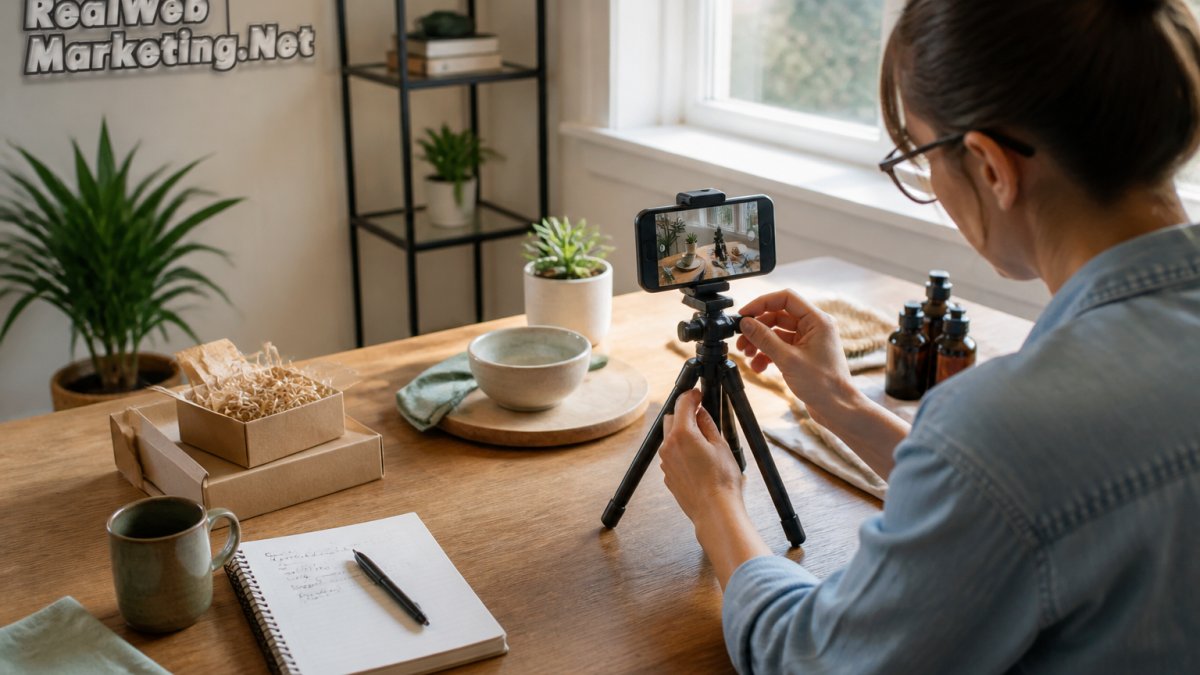
Follow this sequence:
- Write a shot list of five to seven shots before you touch the camera
- Film in daylight near a window, with the light behind the camera
- Lock the tripod and shoot each shot three times
- Record clean audio separately if you can
- Capture three extra close-ups for editing flexibility
- Back up footage the same day
Most reshoots happen because nobody wrote a shot list. Ten minutes of planning saves a full afternoon.
Measuring Video Production ROI for Small Businesses
Video production ROI for small businesses is total revenue attributed to the video divided by total production cost. If a $2,000 testimonial video brings in $10,000 in closed deals, your return is 5:1.
Track it with four numbers:
- Views: reach, not revenue
- Engagement rate: watches past 50%
- Click-through rate: viewers who visit your site
- Closed revenue: deals you can trace to the video
Real Web Marketing Inc. builds this tracking into our video production work, with monthly reporting so you can see which videos earn their keep. Our client Nancy Penrose at Big Trees Inc. puts it simply: "Real Web Marketing produces results."
Conclusion
The hard part is not filming. It is deciding what a video must earn back before you spend a dollar on it.
Real Web Marketing Inc. handles that math with you. Our team brings 35+ years of combined experience, direct access to senior marketers instead of junior account managers, and transparent monthly reporting on every campaign. We plan the budget, shoot the video, and show you the return.
Schedule a free consultation and get a video plan built around your actual numbers.
Frequently Asked Questions
How do small businesses budget for video production?
Start by defining the video's goal and working backward. Set a total figure based on what the video needs to achieve, then allocate roughly 10-20% to planning, 40-60% to production (crew, equipment, location), and 20-30% to editing and post-production. HubSpot's 2026 data shows almost 40% of companies spent under $5,000 on video in the previous year, so a lean budget is common. Build in a 10% contingency for reshoots or added editing.
What should a video production budget include?
A complete video production budget template should list pre-production (scriptwriting, storyboarding, location scouting, talent casting), production (shoot days, crew, equipment rental, permits, props), and post-production (editing, color grading, sound mixing, music licensing, captions). Add marketing and distribution costs, plus a contingency line. For DIY projects, include equipment purchases or rentals, software subscriptions, and your own time. Reviewing this list before you start prevents surprise expenses mid-project.
Is it cheaper to make business videos in-house or hire a production company?
In-house is usually cheaper in direct cash outlay, especially for simple product demos or social clips, but it consumes staff time and may require equipment purchases. A production company brings crew, gear, and editing expertise, with reported professional costs ranging from $1,500 to $50,000 depending on scope. For a single high-stakes brand video, hiring may deliver better ROI. For ongoing social content, DIY video production for small businesses often makes more financial sense.
How can a small business reduce video production costs without sacrificing quality?
Plan thoroughly before the shoot to avoid wasted shoot days, which the research identifies as a major cost driver. Use natural light and existing locations, borrow or rent equipment instead of buying, and keep crew size minimal. Write a tight script so editing is faster. Bono Motion notes that careful planning and basic equipment can produce impactful videos. Also consider repurposing one shoot into multiple clips for social media to spread the cost across more assets.